


Would You Rather?
3.9348.00 Reviews
App Specs
- Version
- 16.0.7
- Updated On
- License
- Free
- Downloads
- 100,000+
- Developer
- TITANWARE APPS
- Categories
- Trivia
- Platform
- Android
Screenshots


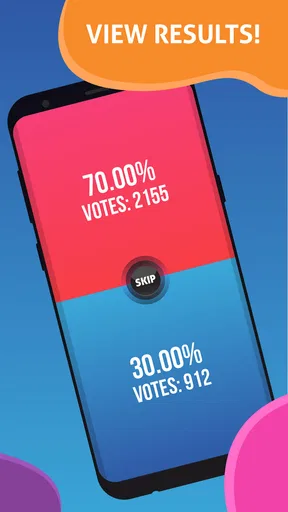
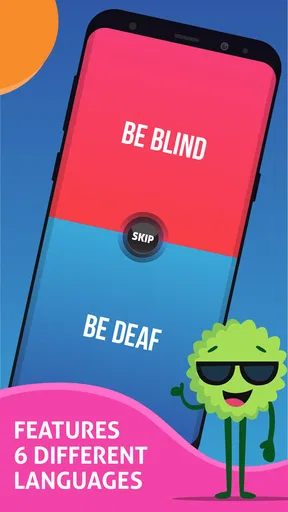
 Analysis by AppCompare
I found Would You Rather? most interesting when I stopped treating it as a simple question game and used it as a social activity. The basic idea is familiar: players choose between two uncomfortable, funny, or revealing options, then explain why. What makes this particular trivia game worth considering is how quickly it can turn a quiet group into a conversation, especially when nobody wants to organize a complicated game night.
It is a free game in the Trivia category from TITANWARE APPS, aimed at mature players aged 17 and over. The listing describes it as a challenging trivia experience, but my practical impression is closer to a choice-based party game with a strong emphasis on discussion. That distinction matters. You are not opening it for a carefully structured quiz with a single correct answer; you are opening it to see what people choose and how they defend that choice.
The game has an average rating of 3.9 from around 4.8 thousand ratings, with more than 100 thousand installs. Those figures suggest a recognizable audience without making the app feel like a polished mainstream board-game replacement. I would approach it as a lightweight conversation starter: useful when the group is willing to participate, less useful when everyone wants a silent, skill-focused challenge.
How the game feels to use in different situations
I find the game’s value changes with the room around it: a relaxed visit gives people space to explain their choices, while a noisy gathering can make even a clear prompt hard to follow. I’d treat the phone as a shared prompt rather than the center of attention, then adjust the pace to the group. That makes the next question practical: which everyday setting gives this format its best chance to work?
Readability and navigation during a group session
The most important usability question here is not whether the rules are difficult. They are easy to understand. The real question is whether people can follow the prompt quickly while a group is talking, laughing, and passing a phone around. A choice game needs to communicate the two alternatives clearly enough that players can read them without stopping the whole session.
In my experience, this kind of format works best when one person takes responsibility for holding the device and reading the question aloud. That small arrangement prevents the game from becoming a repeated handoff between players. It also helps anyone who has trouble reading a screen at an angle, since the wording can be spoken instead of silently inspected.
The navigation is approachable for casual players because the purpose of each screen is obvious: read the dilemma, choose a side, and continue the conversation. That simplicity is a strength when the app is used by people who do not normally play mobile games. Nobody needs to learn a complicated control scheme before joining in.
Worth Reading Before You Choose

EA SPORTS FC Mobile 26 Is a Bigger Football Game, but It Takes Time

Flipboard Shows What News Apps Must Do Beyond the Feed

Switching to Android Auto Means Rethinking Your Driving Routine

Google Calendar Makes a Crowded Week Easier to Manage

Ludo King Makes the Most of the Minutes Between Plans

Baby Panda World Brings Quick Play to Modern Phones, but Its Game Library Feels Busy
There is also a trade-off. A minimal question-and-choice structure leaves less room for personal organization than a traditional trivia app. If you want categories, a detailed score history, carefully arranged rounds, or a strong sense of progression, this may feel too loose. The app’s appeal comes from immediacy rather than from building a long-term player profile.
I recommend deciding before starting whether the group will answer aloud, vote privately, or let one player answer at a time. The app can provide the prompt, but the people using it create the rules around that prompt. Establishing that expectation is especially helpful with mature questions, where a player may prefer not to explain a choice in front of everyone.
Text, contrast, and the practical reading experience
For people who read comfortably on a phone, the short-question format is naturally easier to manage than a screen packed with paragraphs. The wording can be taken in quickly, and the game does not demand the sustained reading needed by a long-form quiz or a story-driven title. That makes it a reasonable choice for a relaxed gathering where attention moves between the screen and the room.
Still, short text is not automatically accessible text. A player with low vision may need to hold the phone closer, enlarge system text if the device allows it, or rely on another person to read the choices. I would test the display before starting a group session rather than assuming that every participant will find the presentation comfortable.
Reading aloud is one of the most useful adaptations. It supports players with visual limitations, dyslexia, temporary eye strain, or simply a preference for listening. It also improves the social side of the game because everyone hears the exact wording at the same time. When a question is ambiguous, reading it aloud gives the group a chance to clarify what each option means before voting.
That last point is important because the humor and difficulty of a Would You Rather question often depend on precise wording. If one person reads quickly and another only sees part of the sentence, the discussion can become confusing for reasons unrelated to the actual dilemma. A designated reader, good lighting, and a stable place to rest the phone make the experience noticeably smoother.
Motor and sensory considerations
The game does not require the rapid taps, swipes, or precise timing found in action games. That is a meaningful advantage for players with limited dexterity, hand tremors, joint pain, or fatigue. A person can take time to decide, and another player can make the selection if touching the screen is uncomfortable. The social format makes that workaround feel natural rather than like a technical failure.
For a mixed-ability group, I would use a verbal voting method alongside the app. Everyone can say their preferred option, raise a hand, or point while the phone holder records the group’s progress. This avoids making the person with the best touchscreen control the person with the most influence. It also works well when the phone is placed on a table instead of passed from hand to hand.
People sensitive to visual stimulation should pay attention to how the session feels in practice. Even a simple game can become tiring if the screen is held too close, the room is dark, or players are expected to stare at the device for a long time. I prefer short rounds with regular breaks, particularly when the app is being used at a party where conversation, music, and screen activity are happening together.
Hearing access is easier to handle because the essential information is presented visually, while spoken discussion is optional. A deaf or hard-of-hearing player can read the choices and respond without depending on a narrator. The group should still avoid talking over one another, since the social explanations are a major part of the experience and can be difficult to follow in a noisy room.
Players with sensory sensitivities may also want to agree on boundaries before the game begins. Mature dilemmas can touch on embarrassing, personal, or uncomfortable subjects. The age label of 17 and over is a useful warning, but it does not tell you whether every question will suit your particular group. A simple pass rule makes the activity safer and more inclusive: anyone may skip a prompt without having to justify the decision.
Situational access: where it works and where it struggles
I can see the game working well during a casual visit when conversation has slowed down. One person can open it, read a prompt, and give everyone something concrete to react to. It is also a practical option for a small gathering where not everyone knows each other, because the questions offer an easy starting point without requiring a full board-game setup.
It can be useful on a long journey as well, provided one person is not trying to operate the phone while driving. A passenger can manage the screen and read the choices, while the rest of the group answers verbally. For players who are not comfortable looking at a screen in a moving vehicle, the reader can turn each prompt into an audio-only activity.
At a loud party, however, the app may be less effective than it first appears. The questions are simple to access, but the best part of the game is hearing explanations and comparing reactions. If music or several conversations compete with the reader, players may answer without fully catching the wording. In that setting, a physical party game with large cards may be easier for a group to see and follow.
The same issue appears in online or remote gatherings. The app can supply questions, but it is not automatically a complete video-call game system. Someone still needs to share or read the prompt, and the group needs a way to decide who answers next. If your main goal is a synchronized multiplayer experience with built-in turns, a dedicated online party platform may suit you better.
For a quiet one-person session, the value is more limited. You can still consider the alternatives privately, but the game’s strongest feature is the discussion that follows. If what you want is factual learning, a conventional trivia title with explanations and a clear scoring system will probably give you more substance. Here, the answer is less important than the personality behind it.
Three practical ways to get more from the format
My first recommendation is to create a “why” rule. After choosing an option, each player gives one short reason, but nobody is required to reveal personal information. This keeps the game from becoming a sequence of rushed taps and makes it more welcoming to people who are shy, neurodivergent, or still getting comfortable with the group.
Second, use a two-pass system for sensitive prompts. On the first pass, everyone chooses privately or simply indicates an option. On the second, only volunteers explain their reasoning. This preserves the playful comparison while reducing pressure on players who do not want their answer examined. It is particularly useful with the mature audience implied by the age rating, because “funny” and “comfortable” are not the same for every adult.
Third, appoint a moderator who is not necessarily the best reader or fastest player. The moderator can repeat a choice, check that everyone has understood it, invite quieter participants, and stop the group from turning one answer into an argument. That role adds more accessibility than any clever scoring rule because it changes how the room treats different communication styles.
A fourth useful approach is to separate the app from the competition. If one player has difficulty tapping, let them announce the choice and have the phone holder confirm it. If someone cannot hear the discussion clearly, summarize the reasons before moving on. The game is flexible enough to support these arrangements because its central action is choosing, not performing a timed physical task.
Remaining barriers and honest limitations
The mature rating is one of the clearest boundaries. I would not install this for a family session with young children or open it casually in a mixed-age setting. Even when a question is not offensive, a player may find it too personal. The safest approach is to agree that skipping is always acceptable and to avoid treating a refusal as part of the entertainment.
The free price makes trying it easy, but in-app purchases range from under a dollar to around forty-one dollars per item. That means I would pay attention before confirming any purchase, especially if the phone is shared or a younger user has access to it. The free entry point is convenient, but the presence of optional spending changes how I would set up the app for a group: use purchase controls and do not assume every part of the experience has the same cost.
The current version is 16.0.7 and it supports Android 7.0 or later. That gives the game a fairly broad device range, but compatibility alone does not guarantee a comfortable experience on every phone. Older hardware, a small display, or a device with a damaged touchscreen can make reading and selecting less pleasant. I would use the largest practical screen available when several people are expected to look at it.
Another limitation is that the game depends heavily on group attitude. A thoughtful question can produce a great conversation with considerate players and an awkward silence with a tired or distracted group. It is not a substitute for good moderation. If your friends dislike personal hypotheticals, prefer factual competition, or do not enjoy explaining their choices, the app may feel repetitive rather than challenging.
I also would not choose it as the main activity for players who need robust accessibility controls, detailed customization, or a clearly structured learning path. The straightforward format helps casual use, but it does not replace a trivia app designed around educational explanations, a board game built for large-print play, or an online title with formal turn management. The right comparison is not “which game has more content?” but “what kind of participation does your group need?”
Who should try it, and who should skip it?
I would recommend it to adults who want a quick social prompt, especially groups that enjoy debating strange choices more than proving who knows the most facts. It is a good fit for a relaxed evening, a small gathering, or a moment when people need help moving beyond small talk. The lack of complex controls also makes it approachable for casual players and for people who do not usually identify as gamers.
I would be more cautious with players who want objective answers, deep trivia explanations, or a strong sense of achievement. The game’s challenge is conversational and personal, not the kind measured by a knowledge leaderboard. Likewise, anyone uncomfortable with mature themes should skip it rather than hoping every prompt will be harmless.
Compared with a standard quiz app, this game gives up factual learning and scoring depth in exchange for personal reactions. Compared with a physical Would You Rather card deck, it is easier to carry and start immediately, but a deck can be easier for a whole room to see and may avoid concerns about screen fatigue. Compared with a full party-game platform, it is simpler and less demanding, but it may offer fewer tools for managing a large or remote group.
My inclusive verdict
After using it as a social game rather than a conventional quiz, I see a clear purpose. Its strongest accessibility feature is the ability to move the important work away from fast touchscreen control and into conversation. A reader, moderator, verbal voting, and a no-pressure pass rule can make the experience workable for people with different reading, movement, hearing, and comfort needs.
That flexibility is not the same as comprehensive accessibility. The app still depends on readable on-screen text, a suitable device, a cooperative group, and careful handling of mature topics. It also asks the players to supply much of the structure themselves. Those are manageable limitations in a friendly room, but they become more serious in a noisy party, a remote session, or a group needing formal accessibility settings.
Would I recommend downloading it? Yes, if you want a free way to start playful debates with an adult group and you are willing to moderate the experience thoughtfully. I would not present it as a replacement for a serious trivia challenge or a fully managed multiplayer game. Used on its own terms, it is an easy conversation engine: simple to begin, adaptable when players support one another, and at its best when the answer matters less than the reason behind it.
Pros
- Simple rules make it easy for anyone to start playing.
- Offers a large variety of questions for different moods and groups.
- Works well as a quick party game or conversation starter.
- Encourages players to share opinions and learn about each other.
- Suitable for casual play with friends
- family
- or online groups.
Cons
- Some questions may feel repetitive after extended play sessions.
- A few prompts can be awkward or unsuitable for younger players.
- The game depends heavily on having an active group to stay fun.
- Limited appeal if you prefer games with strategy or clear objectives.
- Some content or features may require ads or in-app purchases.
FAQs for Would You Rather?
What is Would You Rather? and how does the game work?
Would You Rather? is a casual party and conversation game built around fun, challenging, and sometimes surprising choices. Players are presented with two options and must select the one they would prefer. After answering, you can compare your choice with friends, discuss the reasons behind it, and discover how differently people think. The app is easy to understand and suitable for quick games or longer group sessions.
Can I play Would You Rather? alone or do I need other players?
You can use Would You Rather? alone to browse questions, think through different scenarios, or prepare a game for a group. However, the experience is much more entertaining with friends, family, or other players because the main appeal comes from comparing answers and discussing the choices. It works well at parties, during trips, online calls, or whenever you want an easy conversation starter.
Is Would You Rather? appropriate for children and teenagers?
The suitability of Would You Rather? depends on the question categories and content included in the version you download. Some questions may be completely family-friendly, while others can involve mature, embarrassing, romantic, or uncomfortable topics. Parents should review the available categories and settings before allowing younger children to play. Teenagers and adults should also remember that not every question may be appropriate for every group.
Does Would You Rather? require an internet connection or account?
Many Would You Rather? apps allow users to access at least part of the question collection without creating an account, and some content may remain available offline. Nevertheless, internet access can be required for downloading additional packs, displaying advertisements, synchronizing progress, or using online multiplayer features. Requirements vary between versions, so it is worth checking the app’s store description and permissions before downloading.
Is Would You Rather? free to download, and are there in-app purchases?
Would You Rather? is commonly available as a free download, but the exact business model depends on the Android or iOS version. Free editions may include advertisements, locked question packs, premium categories, or optional purchases to remove ads. Before installing, check the store listing for in-app purchase information and review the available content, especially if children will be using the device.


